
Census representative distribution on completes functionality is available for most countries, based on data provided by United Nations Data Retrieval System
Example
Setting up census non-interlocked on age, gender and main regions on completes:
- Start by setting up the target group
- Select France
- Change ages to have span between 14-80.
- Go to the Quotas pane.
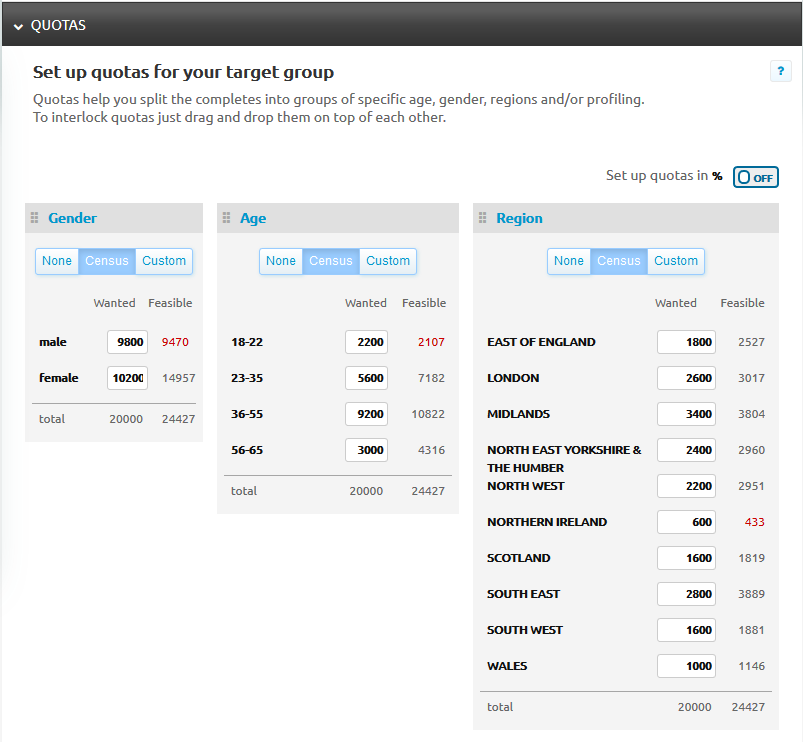
- Click on "Census" for age, gender and regions
Access will automatically do the census spread. You now have non-interlocked census quotas on completes.
Quotas the system estimates to not be able to fully delivery have Initial Feasible numbers in red.
IMPORTANT: Your order will be placed for all your wanted completes and the system will try to deliver all.
In the example below your order will be placed for 9800 males, even if the system estimates to get 9470 completes.The system might be able to deliver all wanted 9800 completes with the help of the Optimizer and Push Suppliers.
We recommend that you don't set quotas on your side (in your survey tool) as Access takes care of them.
After you order the project, your quotas on the Target Group overview will look as follows:
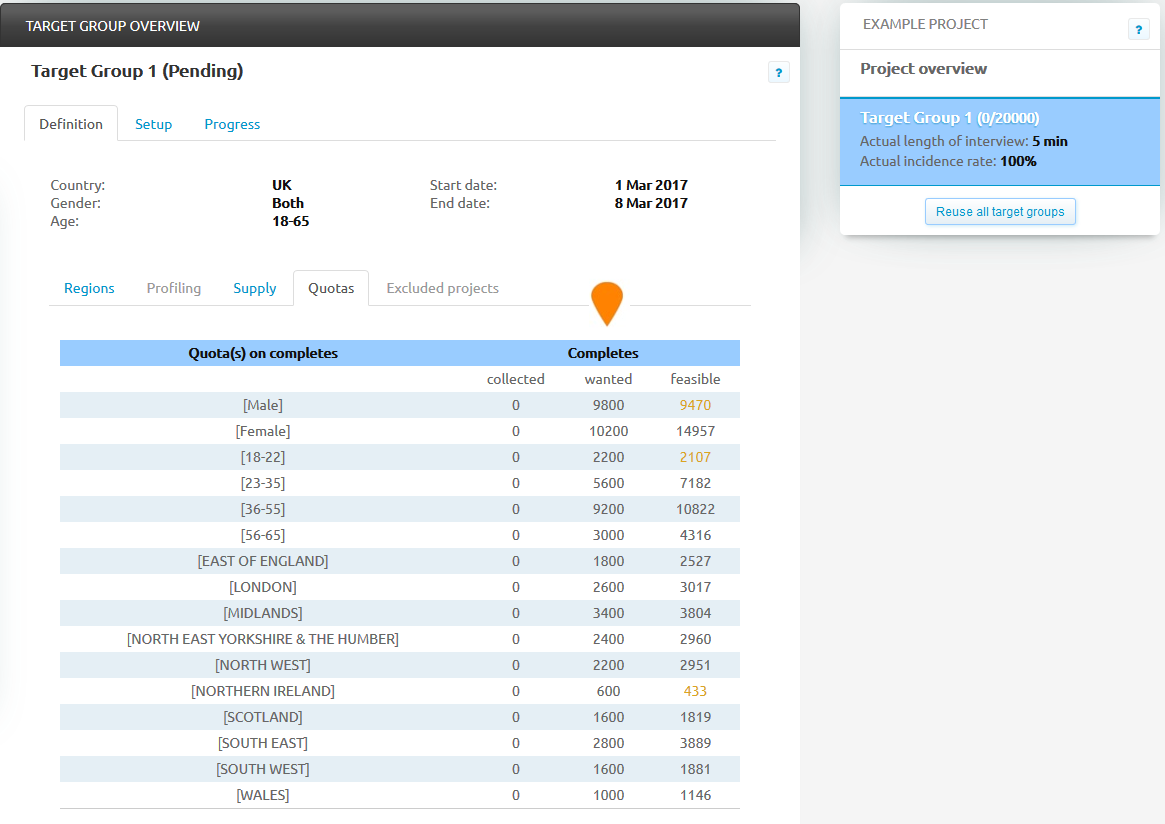
[Access Pro] On the Project Monitor start sampling by expanding the target group and clicking on the quota name. This will also highlight which other quotas are affected by your actions. Turn Optimizer on to maximize the changes of getting panelists.
Comments
0 comments
Please sign in to leave a comment.